Every branch, one set of numbers
A branch in Crystal ERP is a location inside the company with its own tills, stock and control accounts. Everything it posts lands in the same ledger as head office, so the owner compares branches from the same data the managers use.
What a branch can and cannot do
Branch stock
Stock is held per location. The item list and the stock status report show each branch's quantity and value. The till sells from its own branch's stock; a configured right lets it draw from another.
Transfers between branches
A branch raises a transfer request, head office or the sending branch dispatches with a packing list, the receiving branch confirms receipt. Goods in transit sit in their own account until received.
Branch users and tills
Users belong to a branch and their rights can be narrower than head office's. Each till is registered to a branch. Head office switches branch from the title bar without signing out.
Branch reports
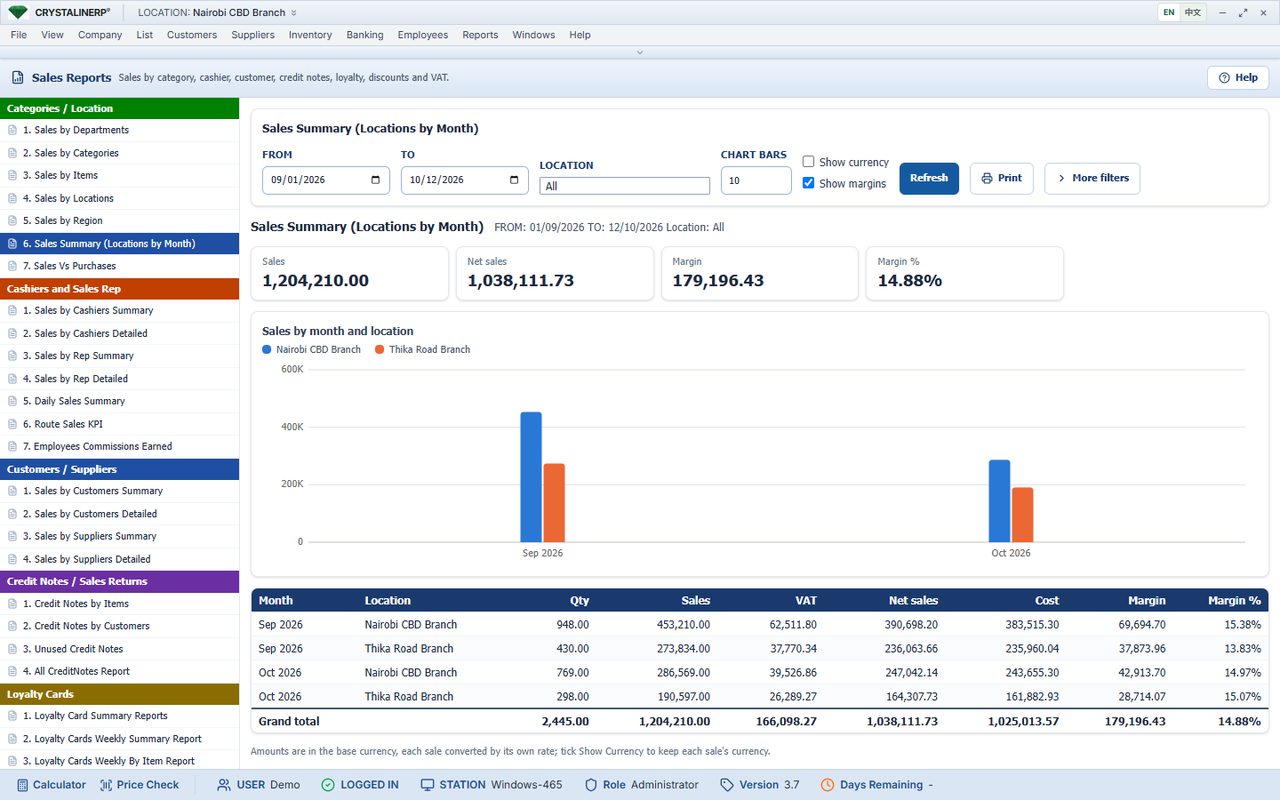
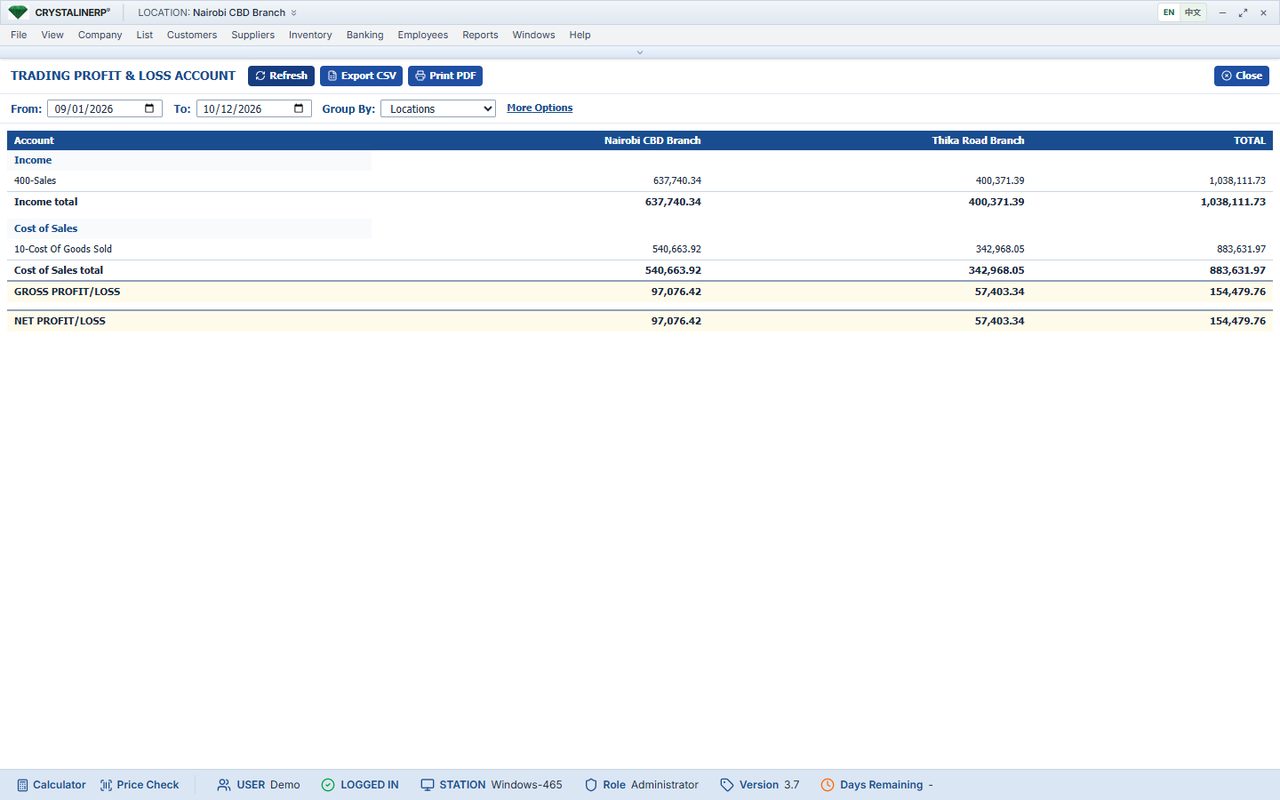
Every sales, stock, cashier and customer report filters by location. Sales by location and locations by month compare branches; the profit and loss groups by location.
Branch control accounts
Each branch has its own cash, M-Pesa, bank, drawer and refund accounts, so a cashier variance or a bank deposit belongs to the right branch.
Separate companies
Businesses with legally separate branches run them as separate company databases on the same server, chosen at sign-in, or as separate hosted accounts.
Three ways to connect
One server, local network
Branches on the same premises or compound connect to the one server over the LAN. No internet needed to sell.
One server, remote branches
Remote branches reach the head-office server over a VPN or a secure tunnel. The branch needs a working connection to sell; a branch with its own server can instead post its figures to head office through the report feed.
Hosted
All branches sign in to a hosted account over HTTPS. Nothing to maintain on site; internet is required at every branch.