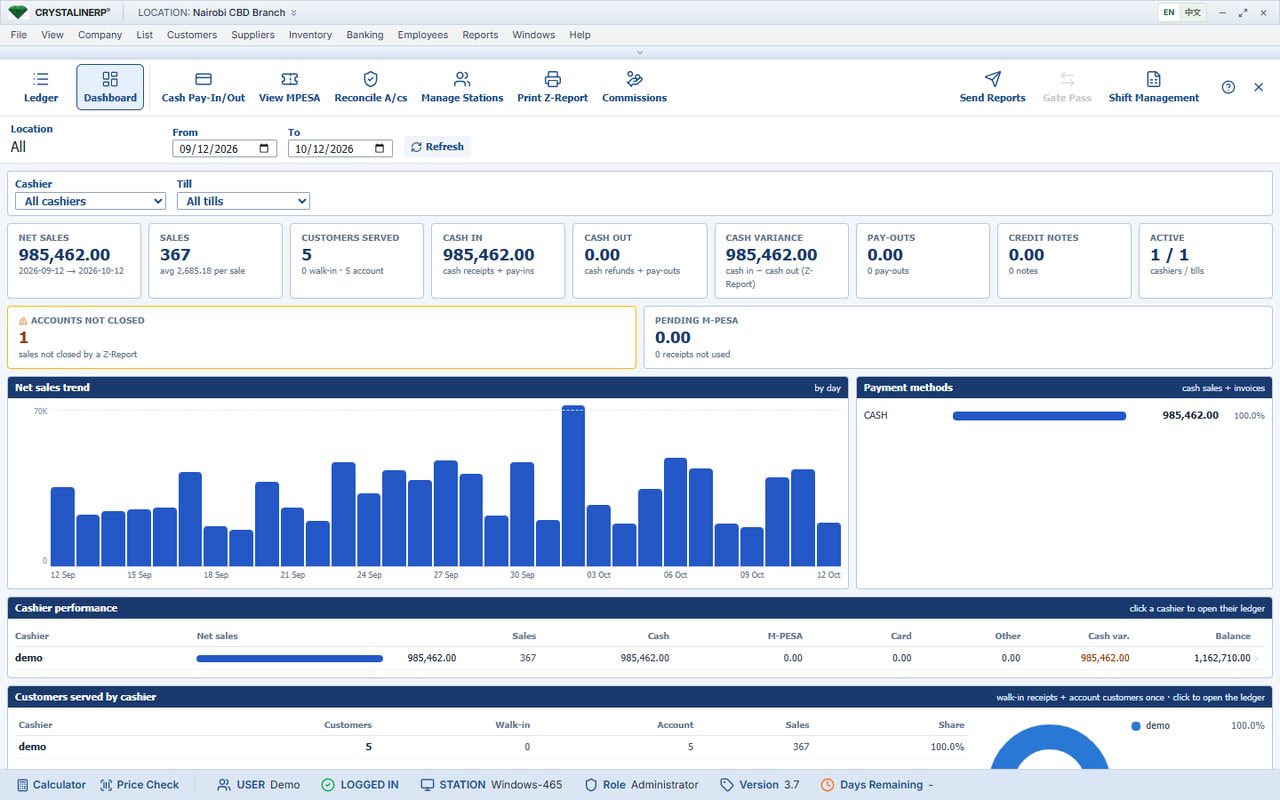
What this screen shows
The cashier dashboard groups sales and payments for review. It gives the owner a place to begin investigating a shift difference.
Reproduce the workflow in a demo
- Select the agreed cashier and period.
- Compare the report with counted cash and confirmed mobile payments.
- Review returns and payment-method errors before posting a correction.
What to verify beyond the screenshot
A dashboard does not establish why cash is missing. Test the underlying transaction detail and agree the daily sign-off responsibility.
Record your acceptance decision
Use your own business example and retain the expected result, actual result and any open issue. Ask the team to confirm configuration work in the quotation. No saving, growth or implementation outcome is claimed by this walkthrough.